Inflight Wi-Fi look it's nothing new Boeing actually launched something
called their Connected Aircraft back in the 2001 Paris international air show.
But Qantas have been rolling out inflight Wi-Fi across their domestic
fleet for over a year now. But how good is it and how fast is it and what can
and can't you do with it?
Before we start on in-flight Wi-Fi a quick introduction. If you're new to the
channel and I know there's been a lot of new subscribers recently, welcome, hello!
I'm Stefan if you are new to the channel and you haven't subscribed and you love
your travel and aviation content there's new videos released regularly so be sure
to click that subscribe button. Now maybe I'm a little bit old-fashioned but I
don't mind the idea of literally leaving the world below you, behind you,
and being a bit disconnected when you are on a plane. But I do get the benefits
of it especially if you're traveling for business between those main kind of city
hubs to have in-flight Wi-Fi. And that's what we're going to have a look at today,
the new service that Qantas are rolling out for free across their 737 and A330
aircraft operating domestically here in Australia. So of course the first thing
to note is not all aircraft are Wi-Fi enabled and the way for you to check if
your aircraft has got Wi-Fi onboard is kind of a bit hard at the moment. There's
no real way of knowing when you're booking on the Qantas website whether
your aircraft has Wi-Fi or hasn't and I guess that's because it's not across all
the fleet and the fleet movement means they're not sure which aircraft is going
to be operating which leg. So when you're booking when you see these icons down
the left-hand side you can see what aircraft type it is what other
facilities it has onboard this kind of blocked Wi-Fi signal. If it's in black it
means that your aircraft could possibly have Wi-Fi it's not guaranteed but it
may be onboard. But if that symbol is greyed out then it means that aircraft
definitely doesn't have Wi-Fi onboard. And that's typical for a lot of the
A330s that are operating domestically with Qantas. Then when you're at the
airport itself the departure boards now at a lot of Qantas domestic terminals
have the Wi-Fi symbol next to the flight itself so you can see before you get
onboard that you will have Wi-Fi on your aircraft. And that's good because if you
do want to download some apps on the Wi-Fi connection or your 4G connection
at the airport just because normally you have a slightly faster network in the
lounges or in the airport or on your 4G connection than the speed of the
connection that you're gonna have when you jump onboard. And of course when you
jump into your seat there'll be a leaflet in your seat pocket which gives
you information about the fact the aircraft is Wi-Fi enabled and the steps
you need to take to activate it on your device. So let's talk about that. To
connect to the Wi-Fi service first of all you're gonna need to go into your
internet settings and find the Qantas free Wi-Fi connection.
Click on 'Qantas Free Wi-Fi' to connect to that Wi-Fi network and once you've
done that in your web browser you want to go to Wi-Fi dot
Qantas dot com and you're gonna need to enter your first name last name and seat
number in order to get on to the Wi-Fi network. Now I'm not exactly sure why
that's being done could be a data capture exercise I don't know if there's
any verification between your seat number and your name to confirm you're
actually a passenger on the aircraft I'm not sure who else is going to be
accessing that network considering you are 36,000 feet in the air but either
way you need to put your first name last name and your seat number agree to the
privacy policy terms and conditions and then click on the connect button and
that will get you connected to the network. So how fast is the connection?
I ran a couple of speed tests when I was flying from Sydney to Melbourne a couple
of days ago and throughout every single speed test the download and upload
speeds pretty much came out the same every single time. So the first thing I
realised was that the stability and the consistency of the connection through
that flight between Sydney and Melbourne at least was very consistent. Running the
speed test I could see that the download speeds always came out around 15
megabits a second and that's enough of course to do things like your standard
WhatsApp messaging, Facebook Messenger, emails here and there but it's also
pretty good from a streaming point of view and I'll talk about services like
Stan and Netflix in a second. The upload speed on the other hand however is very
slow I could only get about point two megabits a second to upload throughout
any of the tests that I ran whilst I was onboard. And that means that whilst you
can pull content down and stream content over that nice fast download speed, from
an upload point of view it means pushing files to a server for example if you're
gonna be wanting to upload YouTube videos I wouldn't recommend that it's
not going to work but even things like emails with large attachments that
you're trying to send if you can get away with doing those on the ground
before jumping on board I would really recommend doing that because otherwise
large attachments and emails they're just gonna take a long time to Send.
It's actually worth looking at joining some of the streaming services through the
Qantas Network if you haven't already because for example Qantas have got an
offer with Stan at the moment that if you're not a Stan member and you're
looking to sign up you actually get a three month free trial if you do it
through the Qantas Network as opposed to the 30-day free
trial if you just do it through the standard Stan website. So check the
Qantas website and see who they've got a partnership with at any point in time
because like I say it might be worth waiting and actually signing up for
through the Qantas network when you're on board as opposed to when you're on
the ground beforehand. Now once you're connected to the network before you go
up and do your own internet browsing on all the applications you want to visit
there's just one thing that I think you should check out you might think it's a
touch gimmicky but I do think this is kind of cool. It's called Qantas flight
view and what it is is a real-time overview of all the places that you're
flying over with pinpoints that you can click on to get more information on
specific landmarks or the destinations that are below you at any one time. Now
of course if you do it leg all the time like Sydney to Melbourne you probably
don't care that there's Wollongong below you no offense to people watching from
Wollongong but you've done it a million times you know it's down there. But if
you're on a flight and you're travelling somewhere new it's actually kind of cool
just to check in every now and again and see what is below you. Anyway if you
don't care about that and you go straight to your own internet apps what
can you do? Well you can easily do messaging like WhatsApp you can send
messages via Facebook Messenger to get in touch with people from the aircraft
let them know if there's any delays on route that kind of thing. But in terms of
other communication and I do really agree with this I'm glad they've done
this voice and video messaging is not actually allowed through the Qantas
Wi-Fi network. Which means you're not going to have
people sitting there on FaceTime on Skype shouting in a phone when you're
either trying to get some work or get some rest or just kind of zone out next
to them. Oh and just on that as well if you are going to use things like
WhatsApp and Facebook Messenger and it is said on the Qantas website and in
their literature but I would just like to reiterate - please put your phone on
silent. I mean the worst thing is when you've just got phones ding ding ding
all the time on the aircraft. I don't know about you but if you're in a work
mode it's probably fine but if you are just another passenger on the aircraft
looking just to have a bit of downtime when you're getting to your destination
it's kind of a little bit annoying just to have phone's going off all the time.
So phones on silent and then knock yourself out with as much messaging as
you want. Oh man sometimes, I sound really old sometimes. Just make sure your
phones are on silent! Don't use your phones in the movie theatre!
Get off my lawn! All right let me know your thoughts on in-flight Wi-Fi below
if you had any good experiences bad experiences any
information you can share with us to help let me know in the comments below.
If you liked this then like this. And if you're new to the channel and you
haven't subscribed do click that subscribe button we're growing a
brilliant community of like-minded aviators travelers. Otherwise thank you
as always for watching and I'll catch you in the next video.

 For more infomation >> Daihatsu Sirion 2 1.0-12V TREND - Duration: 1:11.
  For more infomation >> FEDEZ SPIEGA PERCHE' SUO FIGLIO E' STATO IN OSPEDALE! - Duration: 1:19.
 For more infomation >> Toyota Verso-S 1.3 VVT-i Comfort Rijklaar! - Duration: 1:07.
  For more infomation >> Стиральная машина Узкая Indesit BWSB 51051 S обзор - Duration: 1:31.
 For more infomation >> Mercedes-Benz A-Klasse 180 Ambition Navi PDC 17"Velgen - Duration: 1:06.
  For more infomation >> Sport auto : le fils de Michael Schumacher devient champion du monde de Formule 3 - Duration: 8:24.
 For more infomation >> Renault Mégane 1.5 Energy dCi 110 pk S&S ECO FAP Expression - Duration: 1:07.
  For more infomation >> Toyota ProAce Long Worker 2.0 D-4D Professional | Navigatie | Climate & Cruise Control | EX BTW - Duration: 1:12.
  For more infomation >> Mercedes-Benz A-Klasse 180 D BUSINESS SOLUTION MBUX Multimediasysteem, Led-koplampen, Parktronic inc - Duration: 1:07.
  For more infomation >> Le Danemark n'accueille plus aucun réfugiés en 2018 - Désintox - ARTE - Duration: 1:33.
  For more infomation >> Kia cee'd Sportswagon 1.6 GDI BUSINESSLINE | Airco | Navi | Camera | PDC | Dealeronderhouden | - Duration: 1:07.
  For more infomation >> Volvo S60 2.4D Edition II bj 2006 | Automaat | Half Leer | 1 JAAR APK | - Duration: 1:08.
 For more infomation >> BMW 2 Serie Active Tourer 216i Corporate Lease Executive | Sportstoelen | Elektrische achterklep | D - Duration: 1:14.
  For more infomation >> French Listening : Vlog Vietnam #7: faire ses courses à Saigon - Duration: 14:43.
 For more infomation >> Faith House Spiritually Electrifying Praise & Worship BUCKLE UP - Duration: 15:07.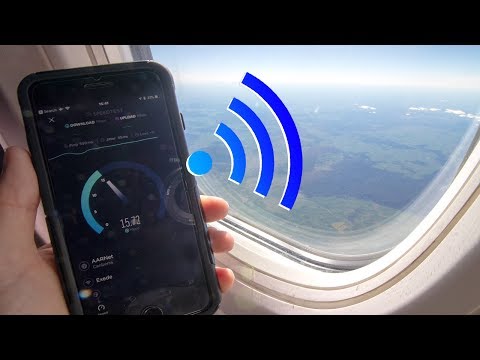
 For more infomation >> Christopher Hitchens Pensez par vous-même VOSTFR - Duration: 1:57.


No comments:
Post a Comment